Showing posts with label tech. Show all posts

Thoughts on [and Pros and Cons of] Pokémon Go

Monday, July 18, 2016

How cute is this pattern?! I got it here.

There's a craze that's quite literally swept the globe, and that craze is a little app called Pokémon Go, available for Apple and Android as of my writing this post.

Pokémon Go takes a video game that's beloved by many and steps up its game mechanics. This app uses technology called Augmented Reality to simulate actually "catching" Pokémon in the real world as opposed to on a GameBoy screen.

While I applaud Nintendo for actually stepping outside of the video game console box, it's certainly not the story-driven game I grew up with as a child. Nevertheless, I can think of quite a few pros and cons with this game, especially after having played it for a few days now.

My character near some designated Pokéstops

Pro: It encourages actually "going" places.
Pokémon Go uses Google Maps' GPS system to run, so you can find Pokémon from quite literally anywhere on the map (provided your country supports the game). While it is possible to "catch" Pokémon critters in your bedroom, it's actually better (and more cost-efficient, as lures to draw the characters to you can cost real-life dollars) if you go outside and explore for yourself.

The cool thing is that the locations that are supposedly prime spots to hunt Pokémon are actual landmarks. And the app actually encourages you to walk to these locations, as some of them are inaccessible otherwise. This is a great way to get out and get exercise, and it's also a great way to actually see what's in your hometown that you might not have known about otherwise.

Con: It doesn't encourage being aware of one's surroundings nearly enough.
While it is fantastic that people are actually getting out and exploring cities and towns, it's not necessarily a good thing that common sense is seemingly being placed on the back burner. Though there is a warning (pictured below), I personally don't feel like it's enough.


For starters, simply looking up from your phone and being aware of people and even cars around you is something that's not being done if you're, well, looking at your phone and are only aware of the Pidgey or other pixellated Pokémon on your phone's screen. And you do have to point your phone in a certain direction to "catch" these Pokémon, so that doesn't help if you're in a particularly crowded place or busy street,

Then, there's the landmark thing. While I mentioned earlier that this is a good thing, the Pokéstops (which are little predetermined spots on your map where you can get goodies like extra Pokéballs and other items for your digital quest) are no respecters of historical significance. For example, the app has received backlash when users attempted to "catch" Pokémon at the Holocaust Museum. And where I live, the Pokéstops are mainly around Civil War battleground sites. So it's not just being physically aware that's important and needing to be addressed further, but also mentally and emotionally aware, too.

Finally, there's the thing with the Pokéstops being at any and all churches. It seems like every church in my area has been highlighted on my map as a place to get goodies. This is a cause of concern, especially as someone who is a member of the church. Make sure that small children know that churches, especially the one you might attend, are for worship, not for collecting digital items. Us millennials need to remember that, too.

Pro: It at least highlights where churches are.
While I don't agree with the fact that churches are highlighted as places to farm items, there is a bright side. If I were hypothetically looking for a church after just moving to a new city, this app might actually help me find where they are. And if Pokémon Go can help other millennials my age find churches as opposed to a Google search - and it's actually making people aware of churches - that's fine by me.

Con: It's being used by people driving.
Guys, don't text and drive, and definitely don't play games and drive (See above regarding common sense seemingly being put on the back burner).

Some of my Pokémon, nickamed and such: Goldie the Goldeen, Bacon the Charmander (my starter), and Christopher the Pidgey (named after Christopher Robin from Winnie the Pooh)

So, what are my thoughts on Pokémon Go (besides the pros and cons mentioned above)?

It's just a fun little game. I'm not consumed by it; I'm not frantically running around town just to catch Pokémon. If I'm sitting as a passenger in a car (key word: passenger), or if I happen to be in an area where I might catch something and give it a goofy and/or adorable nickname (see above), I'll open the app. Then again, I'm also a young adult with a lot on my work plate, and I don't have time to frolic just for Pokémon. In other words, my usage of the app is incredibly casual. I enjoy playing it because of the nostalgia and as a game in general.

All in all, if this game is used with respect and common sense in mind, and if it's treated as that - a game - I say it's fine.

What do you think of Pokémon Go? Let me know down in the comments! :)

The Best Shopping Apps

Friday, November 28, 2014

"Pop" print by Lilly Pulitzer

Today is Black Friday. Those words often evoke a sense of excitement or anxiety...or a combination of both. Either way, Black Friday involves amazing deals in shops across the country. Whatever you're looking for, it's probably on sale today and the rest of this weekend.

Speaking of this weekend, I've loved the inclusion of Small Business Saturday and Cyber Monday. This has given other businesses - especially locally-run ones - the chance to join in the fun.

Let's talk online shopping for a second. It's super-convenient these days to open your laptop and blaze through your Christmas shopping list with a click of a mouse - and the sales are often more abundant online as well. But let's say you're not on a laptop. Instead, you're braving the Black Friday crowds, standing in line with a cart full of goodies. There's something from another store you could be ordering while you wait.

That's where apps come in.

These apps I'm about to show you can be used beyond Black Friday/Cyber Monday, but I figured these would come in handy this weekend. ;) So, without further ado, here are my favorite shopping apps for iOS! (You may be able to find these apps on Google Play or Android Market.)

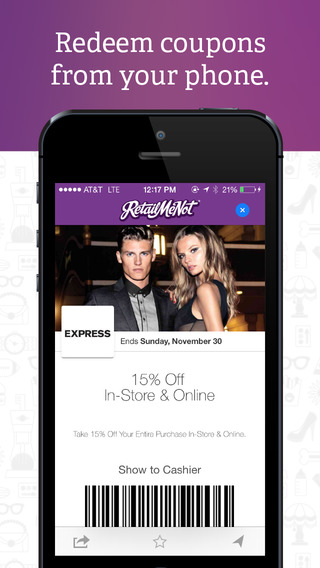
This is often the first place I go when I'm ordering things. Retail Me Not has so many coupons for so many stores, and I've often been able to get free shipping on many purchases. Just browse to see what coupons are available!

Amazon

photo credit

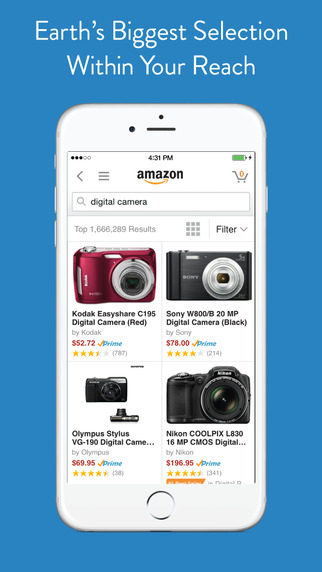
I love Amazon so much as it is for their great deals on books, but they sell many other items, so it makes one-stop shopping so, so easy. It's even easier to shop on my phone; I ordered my Halloween costume this year through this app. :)


photo credit

I haven't bought anything on this app, but I installed my Sephora VIB rewards card into my Passbook. It's super nice to pull your phone out when you're shopping there, and the card on Passbook keeps track of your Beauty Insider reward points. Since I installed the app, I've gotten quite a few notifications of sales, which is also nice.

Casetify (formerly Casetagram)

photo credit

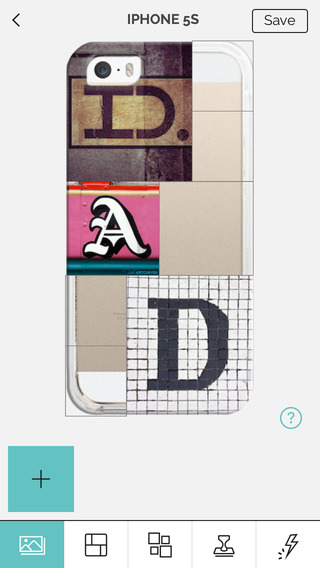
I've talked about Casetify before, but I love this store and the wide variety of cases they have. You can buy a case from any of the artist collections OR make your own, all with just a few swipes on the app. You can find coupons and sales - some are exclusive to the app - and you can even track your order once you place it. Yay! (Also, their social media department is super, super nice!)

BONUS: Deliveries

photo credit

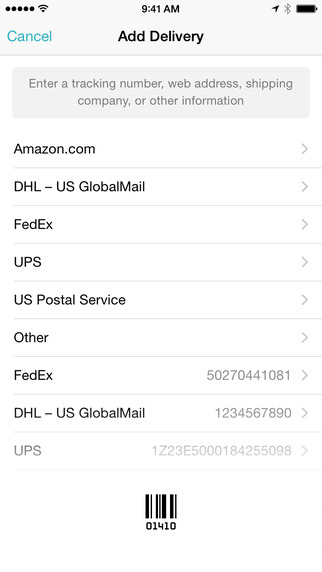
This is lifesaver for package tracking. All you have to do is plug in a tracking number and carrier, and the app will track the shipment and give you a countdown of when it arrives, with notifications for every stop on the way. This is super handy for this time of year and beyond. :)

Have you ever shopped via an app? If so, how do you like it?

How to Take Really Great iPhone Photos

Friday, November 7, 2014


I take photos from my phone pretty much exclusively these days. From Instagram to travel snaps, my phone has been used for a wide variety of picture-taking adventures.

I want to share some tips I've picked up and learned while taking pictures with my phone with you. Don't have an iPhone? That's ok. :) You can adapt these to whatever phone - or camera - you have. Like taking pictures with an actual camera, taking pictures with your phone is is something you should experiment with to see exactly what you like and to achieve the look you want. I hope these basic tips can help make taking pictures a whole lot of fun.

(Also, these tips cover the actual picture-taking process. If you want tips for Instagram editing, check out this post.)

With that, let's get into it! :)

1. Take your pictures using the Camera app.
This is the camera app that should be right on your home screen, or you can slide your thumb up from the bottom right of your lock screen to access it. I recommend using your phone's built-in camera app because of the fact that it's already taking great pictures in high quality. You can tap to autofocus, and you don't have to limit your composition if you don't want to. Just play around with it to see what works for you and what you like best in your pictures. I pretty much recommend the Camera app over the camera that comes with most photo editing apps (like Afterlight and VSCOcam) for this reason.

2. Take advantage of Burst Mode.
In the newer iPhone models, Burst Mode is activated by pressing and holding down your camera's shutter button. It will take multiple pictures (or selfies, lol) in rapid succession. Then, when you access your camera roll, you can click on the shots you took and select your favorites from the group. Use Burst Mode on action shots, fireworks, group shots, and anything else that's moving rapidly. (If you don't have burst mode, just take pictures in rapid succession manually.)

3. Zoom only when necessary.
I zoom in a lot. I've taken concert pictures from afar, and I've taken pictures of the elusive albino squirrel in our neighborhood. I'll zoom in on some of those pictures, but I've found that sometimes, it's easier to just take a single picture without zooming in first, and then cropping it later. All of this really depends on the picture you take, and what lighting you have when you've taken said picture, so just do whatever you think is best when you snap your pictures (especially if your subject is moving fast). Speaking of lighting...

4. Light is your BFF.
I'm not kidding. There's a huge difference in taking pictures in any kind of light versus trying to take a picture in dim lighting. Here are some quick tips with light that I've learned while taking photos:

  • Light directly on your subject is better than light behind them (backlighting). This is way easier with daylight outside, but keeping your back to the light source is a good idea while you're taking pictures. That way, your subject is well-lit (unless you want to take a selfie. If that's the case, face the light).
  • In dim light, use whatever manual focus feature you have, whether that's tapping the screen to focus or another method in your settings. Focus on the lighter object, and you should be good to go.
  • Outdoor pictures are usually the easiest to take, and usually yield some of the best results because of all the light you have during the day. I've heard it said that overcast days are best, but again, just play with your settings to get the pictures you want.

Halloweekend Day Three: iPhone Wallpaper Freebie

Sunday, October 26, 2014


Happy Sunday! :)

To wrap up Halloweekend and celebrate the Fall season, I thought it'd be fun to make an iPhone wallpaper that'll last through this coming November as well as this week. This is my first one that I've made for the blog, so I hope you enjoy it!

The sizing will work for iPhone 5 and 6, but it should work on the 4 or 6 Plus as well.

Here's how to get it for your device:
  1. Click the link at the bottom of this post
  2. Save the image to your Camera Roll
  3. Go to your Settings, then Wallpaper, and then find the image in your camera roll.
  4. Set your wallpaper where you want it, and you're all set!
Click to Download

I hope you guys enjoyed Halloweekend! :)

Halloweekend 2014 Posts
Day One - Costumes
Day Two - Books

What's On My iPhone 6?

Tuesday, October 21, 2014


Not gonna lie, I really like watching the "What's On My iPhone" videos that various folks make on YouTube. It's neat to see what apps people like and how they lay out their home screens. 

The reason why I wanted to do this particular video is because I was recently surprised with an iPhone 6 for my birthday this year! :) I honestly can't believe this is my phone; I love all the features, including the fingerprint reader that unlocks my phone, and all the space. Oh my goodness.

I thought it'd be fun to take y'all on a brief tour through my phone. If you don't have a 6, that is a-ok. The app/case/wallpaper suggestions can apply to whatever phone you have, as many of these apps can be found on Google Play or the Android market.

Ready? Let's go! :)


This is my lock screen. My wallpaper is from the Cocoppa app, and I use it whenever I have my TARDIS case on. (The case featured in the top photo is from Sonix. If you're a fan of American-made products that are great quality and you like great cases, this shop is for you!)

I like changing my wallpaper a lot, whether it's to match the case I have on it or to match my mood for the day. I usually get my wallpapers from the following apps/places:


And this is what my front page looks like! :)

If I went through every single app on here, I think this post would be forever long, so I'm just going to break down my folders in descending order and mention the top apps I use in each one.

Utilities - These are the apps that came with my phone. Many of these are ones that I don't use, like Stocks, but I do use FaceTime and the calculator quite a bit.

Books - This is where my Kindle app lives, along with iBooks and my two devotional apps, She Reads Truth and Jesus Calling.

Entertainment - I mainly use Flixter (to find movie showtimes), Videos (to watch Doctor Who of course), and Shazam (to find out that amazing song on the radio).

Social - These are my Social Media apps. I use all of these fairly regularly, but I use Facebook, FB Messenger, and Pinterest the most.

Games - I love a good iPhone game. My favorite of all time is Robot Unicorn Attack 2.

Instagram (with the coffee cup emoji because why not) - I really like to keep all my Instagram and editing apps (including Instagram itself) in their own place. If you want to know in detail what apps I use and how I edit my photos, check out this post and this post.

Junk Drawer - These are the apps that don't particularly have a category. Of these, I mainly use Bloglovin', Cocoppa, and Cuptakes.

Apple Apps - These are apps that also came with my phone, but are normally associated with Apple's iWork Suite (like Pages and Garageband). They're nice to have, so they got their own folder.

Handy Dandy Gadgets

Monday, October 6, 2014

So, I needed to replace my phone charger cord because it frayed at the end.

I hopped onto the Apple website to look at a replacement, but then I had a thought: Since this is the second or third time this has happened, why not try a different cord and see how that goes?

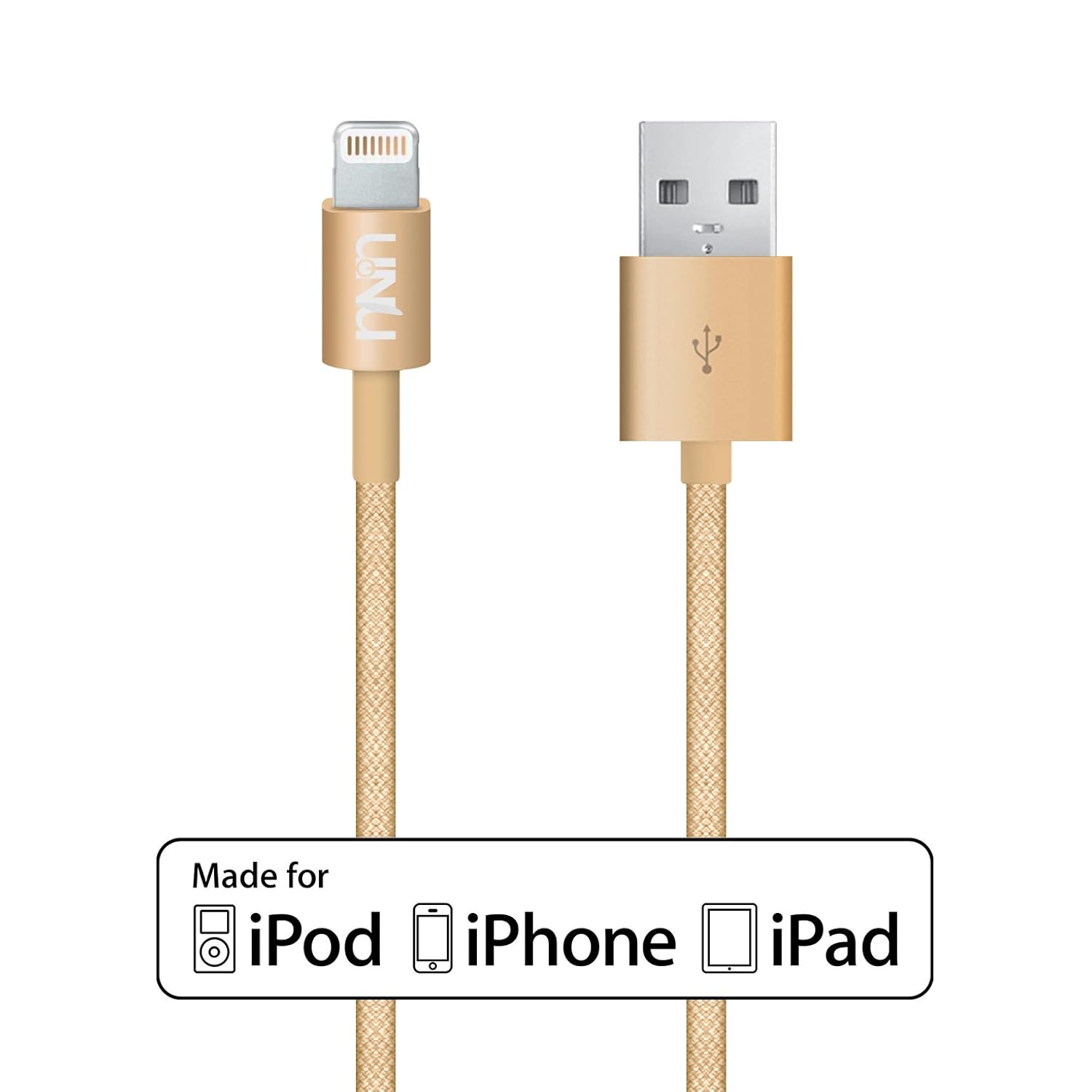
I proceeded to order a charger cord from Amazon instead. I knew it was going to be a little more fun already with the gold color it came in, but I wound up loving the way it looked. I liked having something as mundane as a phone charger be as exciting to look at as one of my own accessories I would wear. Plus, I think this cord will last a lot longer, too, which I'm the most happy about.

Basically, there's something about tech accessories that's just so fun. I tend to go for things - tech or otherwise - in bright colors or shiny metallics, because I feel like they reflect my personal taste in a way that makes the slightly more mundane objects more interesting.

Sure, you can personalize your cell phone already with cases, but why stop there? There are quite a few products out there that are both fun and functional for your phone, computer, and more.

I'm all for cute tech things, but as a quick disclaimer, it's always important to check item reviews before you make a purchase, especially if it's meant to charge your device or keep it protected.

With that said, here's a few happy gadgets that I've discovered around the internet and wanted to share with you. :)


Giant Gem Speaker


There are plenty of wireless speakers to choose from in many colors and styles, and by many brands, too. However, this speaker has to be the absolute cutest one I've ever seen.

Not only would it look great on a desk, but it'd also be fantastic to take on trips or to use during parties. Plus, it seems to last awhile before it needs charging again, so that's always a plus in my book. 

UNU Aluminum iPhone/iPad Cable in Gold
amazon.com


This is the gold cord I was talking about earlier. I was initially curious to try a woven cord as opposed to the typical rubbery ones, and I have to say I'm impressed with the quality of this cable. Based on the pictures and item description, I thought the cord was going to be more metallic, but it feels more thread-like and soft, and it looks neat when it's plugged into your computer and/or device. They also make this cord in silver, if that's more your thing.


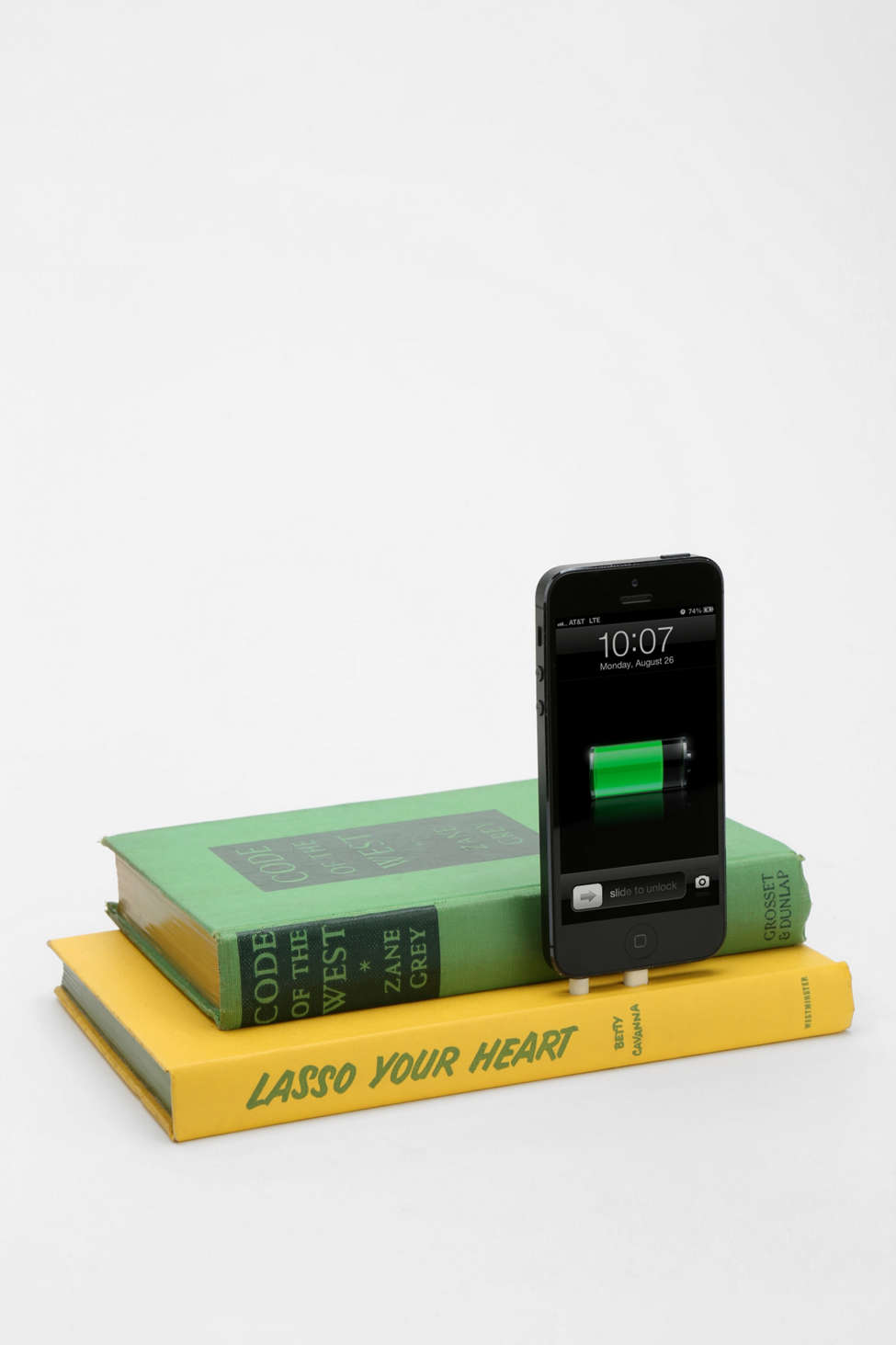
Vintage Book iPhone 5/5s Charging Dock
urbanoutfitters.com


Urban Outfitters can make some really cool stuff, so I'm not a bit surprised that I found this charger in the tech section of their website.

This is the coolest charging dock I've seen in awhile. This charger is made from vintage books, and each charger is made with different vintage materials, so what you order will vary in size and color. This is great if you're wanting to charge your phone, but don't want cords going everywhere. It certainly looks natural, especially if you set it in an area like your living room, nightstand, or bookshelf. 

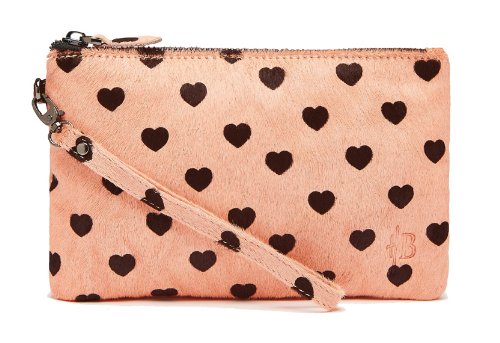
Handbag Butler Mighty Purse Clutch
(Pictured: "Premium" in Soft Pink Heart)


I actually heard about this bag via a YouTube video. Basically, this clutch has a hidden battery in it that will charge your phone when you set it inside the bag. As someone who's taken an external charger with me to concerts - and have had to take a long cord to plug my phone into said charger - I think this is awesome. Also, this would be amazing for travel. 

The "chic" version that's also available is less expensive than the one featured here, and has a wider color selection. All the lines have a wide variety of colors and patterns to choose from, though, so you can pick the bag with the style and features that are the best for you. A quick disclaimer, though: you have to purchase adapter ends separately if you want to buy a bag to charge your iPhone.


Favorite Places for Phone Cases

Saturday, September 20, 2014

I love phone cases for two reasons: they protect your phone and they can have some really fun designs.

Not only have I been able to find cases in various stores, but I've also been able to find some really great cases online. In fact, I'm pretty sure the majority of the phone cases I've had over the years have been from online shops.

So, I thought it'd be fun to share my favorite places to find great phone cases. :) (I'm a poet and didn't know it...lol!)

Society6
society6.com

This site is actually very similar to Etsy in that they feature artists, but you can actually purchase the same print in many different forms. For example, if you find a case you love, you may be able to find an art print or t-shirt that matches, and vice versa. Their selection of models to choose from isn't quite as big as, say, Etsy, but they have a huge selection of products to decorate your tech and home with. One of my all-time favorite phone cases I've ever had (a TARDIS case...shocking, right? ;]) came from this shop.

Casetify
casetify.com
In the mood to customize your case? This site - formerly known as Casetagram - would be a great fit for you. Casetify not only has artist-contributed cases, but they also allow you to import your own photos from social media or your hard drive to create fun, one-of-a-kind cases. I really like their custom case that looks like the LOVE sculpture in NYC. Also, I love the collection of cases by Wonder Forest

I have my mom to thank for showing me these wonderfully designed cases (and products in general...I love Anna Rifle Bond's designs!). The case I currently have on my phone right now is a Rifle Paper Co. case, actually, and it's one of my all-time favorites. :) They're very well made, and many of their cases have an Inlay design that has rubber lining to protect your phone. You can also find Rifle Paper Co. cases at Sonix, too (another great site I just discovered!).

Minnie & Emma

These are some of the prettiest monogrammed phone cases I've seen in awhile. They have a huge variety of designs and quite a few case options. I really like these cases that show the full name, too. :)

So what are your favorite places to find phone cases?